
For airline pilots
The professional network built by pilots, for pilots
Keep in touch with the people you fly with, see who is on your layover, and turn your roster into a calendar in about 30 seconds. Free for licensed pilots.
- Free to join
- Built by pilots
- Roster → calendar in 30 s
Roster
Your month, mapped
Drop the roster your airline gives you — PDF, photo, ICS, CSV or a calendar link — and WayPoint lays the month out in about 30 seconds: flights, layovers, standby, days off.
- Subscribe to it from Google or Apple Calendar, and share a read-only link at home.
- Every change between one upload and the next, listed.
- Your flown legs as a logbook file whenever you need one.
October 2026
Week 42
Mon
12
DOH–LHR
Tue
13
Layover
Wed
14
LHR–DOH
Thu
15
Off
Fri
16
Off
Sat
17
Standby
Sun
18
DOH–CDG
1 change since your last upload · Mon 12 report 05:40 → 06:10
Crew
Who is on your layover
Your roster already knows where you sleep tonight. WayPoint shows which of the pilots you follow are in the same city, straight from the widget on Home — and on the Sky Map, where everyone you follow is flying right now.
- Layover meetups, from the widget on Home.
- Sky Map: the world drawn from airports, flat or as a globe, with your connections in the air.
- Direct messages, one to one or in a group, on every device you use.
Tonight · London
2 pilots you follow are here
Same city, same night — one message away.
Say hi
Logbook
Roster to LogTen in one tap
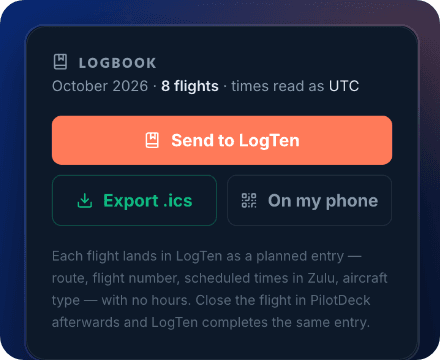
On Roster, open the Logbook panel and tap Send to LogTen. Every flight lands as a planned entry — route, flight number, scheduled times in Zulu and aircraft type — with no hours added. LogTen on your phone? Tap On my phone and scan the code.
After landing, Send to LogTen in PilotDeck completes that same entry, so nothing is duplicated. WayPoint is not affiliated with LogTen.
Flight bag
PilotDeck, the flight companion
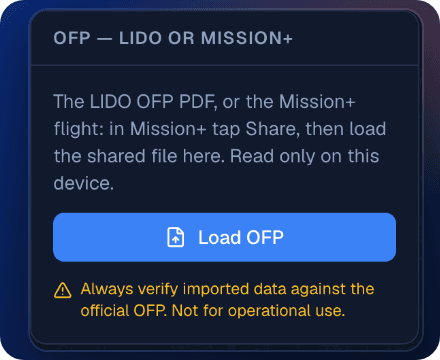
Load the OFP — the LIDO PDF or the Mission+ flight file — and PilotDeck carries the flight from briefing to blocks-on. The Mission+ file is checked against the paper plan it carries; if anything disagrees, PilotDeck says why and loads nothing.
Install it once from mywpoint.com/deck and it opens with no signal.
Times fill themselves
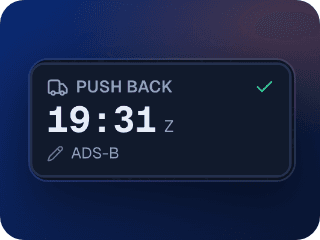
With ADS-B coverage, push-back, take-off, landing and chocks-on come from the aircraft’s own track.
Your flight on a map
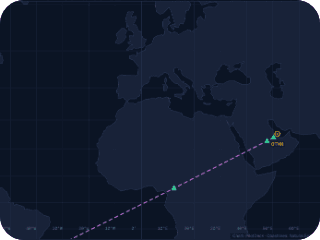
The route with every waypoint, and the aircraft as it flies. Waypoint times fill in as you pass them.
PAs written for you
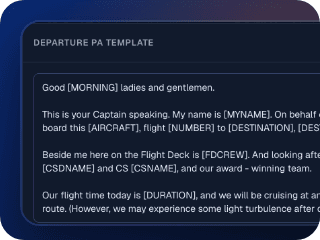
Departure and arrival announcements built from the flight: duration, level, destination, crew.
PilotDeck is a personal aid, not an approved EFB. Always verify imported data against the official OFP. The Start Flight shortcut on your roster comes to Qatar Airways pilots first; the flight bag itself is open to every pilot.
Career
Pilot jobs with salary intel
Pilot openings, collected daily and filtered for you. Next to them, what airlines actually pay — from official sources only. Where there is no official figure, WayPoint shows nothing rather than a guess.
And when you need a seat rather than a job: Load Exchange, where pilots ask for or offer a jump seat on the flight they need.
Jobs board
Pilot openings, collected daily and filtered for you.
Salary intelligence
What airlines actually pay, from official sources. No official figure? Nothing is shown — no guesses.
Load Exchange
Ask for or offer a jump seat on a flight you need.
Built by pilots, free to join
WayPoint is made by working airline pilots and it is free for licensed pilots. Prove your licence once and the verified badge shows on your profile. Your data stays yours: download a copy or delete your account whenever you want.